| Article number | EAN | NRF | NOBB | EFO |
| 72.380.337373 | 7072380373732 | 1432595 | 60752085 | 4550414 |
Introduction
The Waterguard+ Adapter is designed for controlling motorized ball valves and connecting wireless and wired water sensors for automatic shut-off in the event of a leak. The device plugs directly into a wall socket and does not require a fixed installation. The adapter is part of the Abra ecosystem and is configured and controlled via the Abralife app.
The adapter can control up to two motorized valves at the same time, for example for cold and hot water. It supports communication via WiFi, Zigbee and WiMEA, and can be operated both locally with a button and remotely through the app.
The device supports up to 50 WaterSensor+ wireless devices and has ports for connecting wired sensors. In the event of a leak, notifications are sent immediately, and the app can notify defined emergency contacts.
The Waterguard+ Adapter can also be used only for leak detection, without connected valves. It can be part of a single installation or expanded as part of a larger solution, and is compatible with other components of the Abra ecosystem.
Product Information
Functional elements
-
Socket with feed-through
-
Status (LED)
-
RESET knapp
-
Holes for audio signals
-
Connection to valve 1
-
Wired Water Sensor Connection
-
Connection to valve 2
Light indicators - detailed
Physical interfaces
| Buttons | RESET button on the front of the product |
| Light | 3x LED indicators for status (ALARM, 4G/POS, POWER). |
| Sound | Sound signals (>75 dB) from built-in horn |
Connections
| ENTRY/EXIT | TYPE CONTACT |
| Connection valve 1 |
RJ45 (hunn) Select: Used when connecting only one valve. |
| Connection valve 2 | RJ45 (hunn) |
| Connection wired water sensor | Mono 3.5mm Jack (female) for connection to wired water sensor. See accessories overview for options. |
| Power Supply / Plug | Støpsel - CEE 7/4 (Schuko) – Type F |
| Integrated socket |
Stikkontakt - CEE 7/4 (Schuko) – Type F
Select: The integrated socket is a clean penetration and remains active even in the event of a detected leak. |
Operating system
The Waterguard+ Adapter runs AbraOS, a proprietary real-time operating system (RTOS) designed for safety-critical applications. AbraOS has an architecture that is designed to be resistant to viruses and cyberattacks, ensuring high system integrity and secure operation.
AbraOS can be automatically updated to the latest version "Over The Air" if the Waterguard+ Adapter is connected to the internet via WiFi. This functionality ensures that your device is always up-to-date with the latest features and security patches. The update process is efficient, takes only a few minutes, and is scheduled for times when critical functions are not in use, to minimize any disruption to the system's functionality.
Communication
The Waterguard+ Adapter supports the following communication protocols and technologies.
| WiMEA | 915 MHz FCC (USA/CAN), 868 MHz RØD (EU) |
| Blåtann | 2,4 GHz |
| Zigbee 3.0 | 2,4 GHz |
| WiFi | 2,4 GHz |
Blåtann
The Waterguard+ Adapter has Bluetooth connectivity, which can be used for initial system setup and as a backup communication method via connected mobile phones. This is especially useful if the primary 4G/LTE-M communication channel experiences interruptions.
WiMEA
WiMEA, a proprietary wireless protocol developed by Fell Technology, is tailored for safety-critical communication. The technology is used for communication with WaterSensor+ and ensures reliable data transmission for safety-critical applications.
Zigbee 3.0
Zigbee 3.0, known for its low-energy wireless networking capabilities, is therefore used by a variety of smart devices and in industrial control systems. Support for Zigbee 3.0 in the Waterguard+ Adapter enables compatibility with multiple smart home devices, depending on the mobile application used.
WiFi 2.4 GHz
The Waterguard+ Adapter has support for 2.4 GHZ WiFi. WiFi networks are usually not available in smaller boats, but can be useful if the boat is at anchor or in storage.
Dimensions
| PRODUCT | LxBxD (mm) | Weight (g) |
| Waterguard+ Adapter |
106 x 50 x 79 (160 mm wires) |
185 |
Colors
The Waterguard+ Adapter is only available in white color.
Power supply
The Waterguard+ Adapter plugs directly into the standard socket.
Accessory
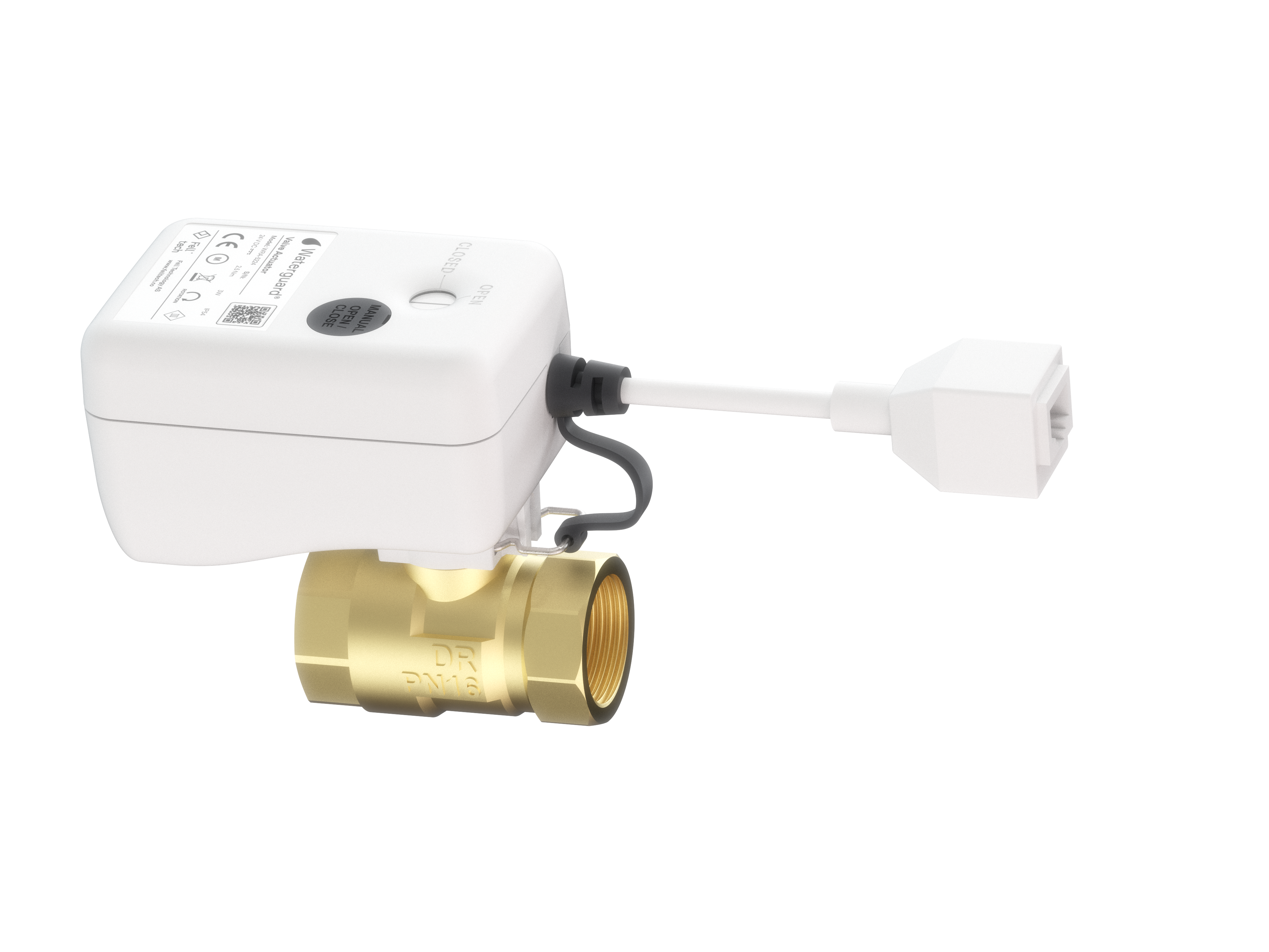
Waterguard valve actuator and ball valves
Waterguard+ Valve Actuator (NRF: 5648876) in combination with DN15R (1/2") (NRF: 5648911) or DN20R (3/4") (NRF: 5648912) ball valve from Waterguard. Connects to the Waterguard+ Adapter via network cable with RH45 connectors.
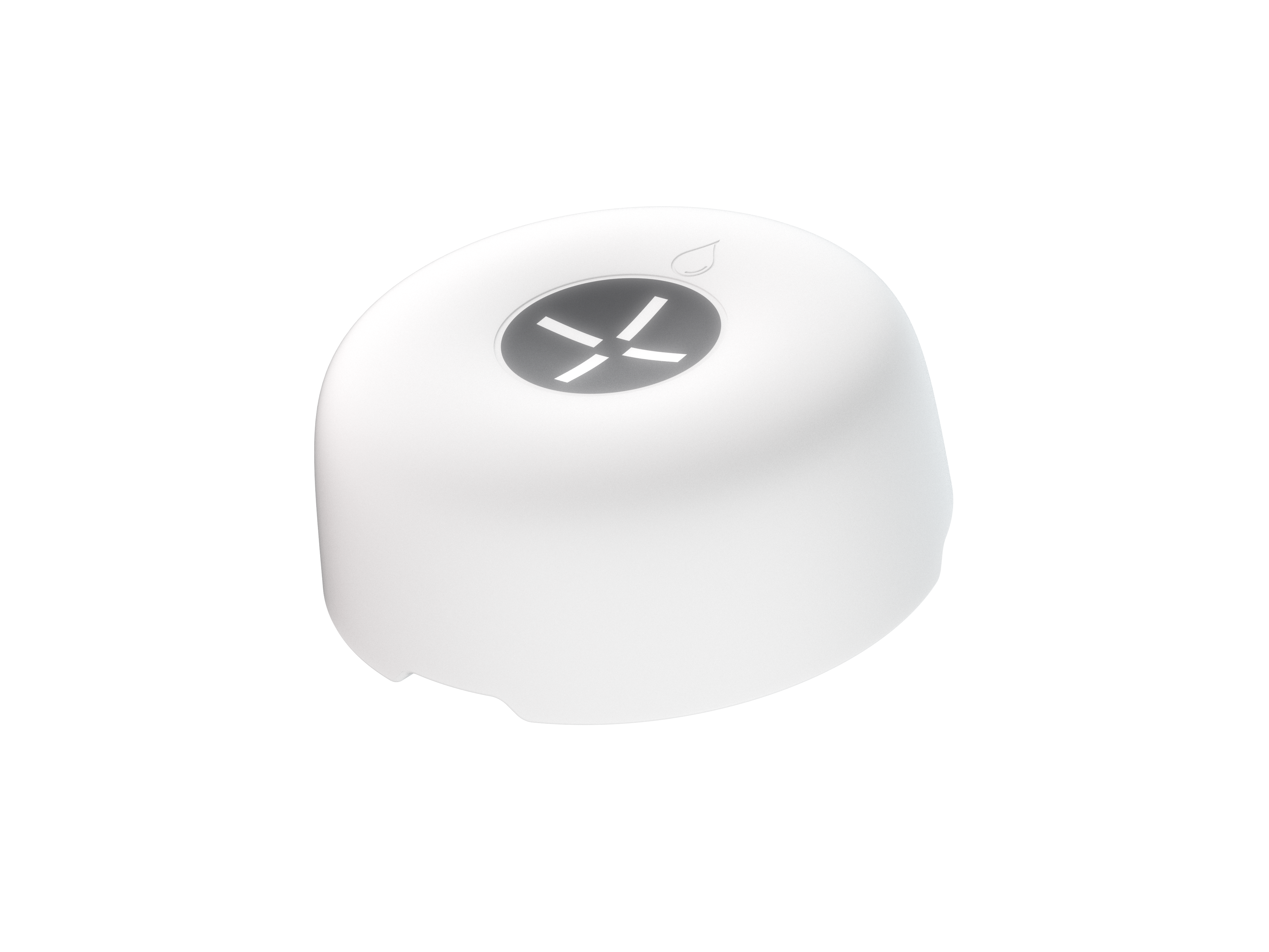
WaterSensor+ Wireless Water Sensor (NRF: 5648875)
WaterSensor+ is a wireless sensor that detects water leaks and measures temperature and humidity. When water is detected, the sensor sends a signal to the Waterguard+ Adapter, which automatically shuts off the water supply (if valves are connected). At the same time, light and sound alarms are triggered in the sensor, and the user is notified via the Abralife app. The sensor is compact and can be placed where the risk of leakage is high, or where there is a need to monitor temperature and humidity. The battery has a lifespan of over five years.
The WaterSensor+ can be permanently mounted using the WaterSensor+ Cover, alternatively with the WaterSensor+ Bracket for connection to external power and wired water sensors for extended detection range (similar as indicated as an accessory below).
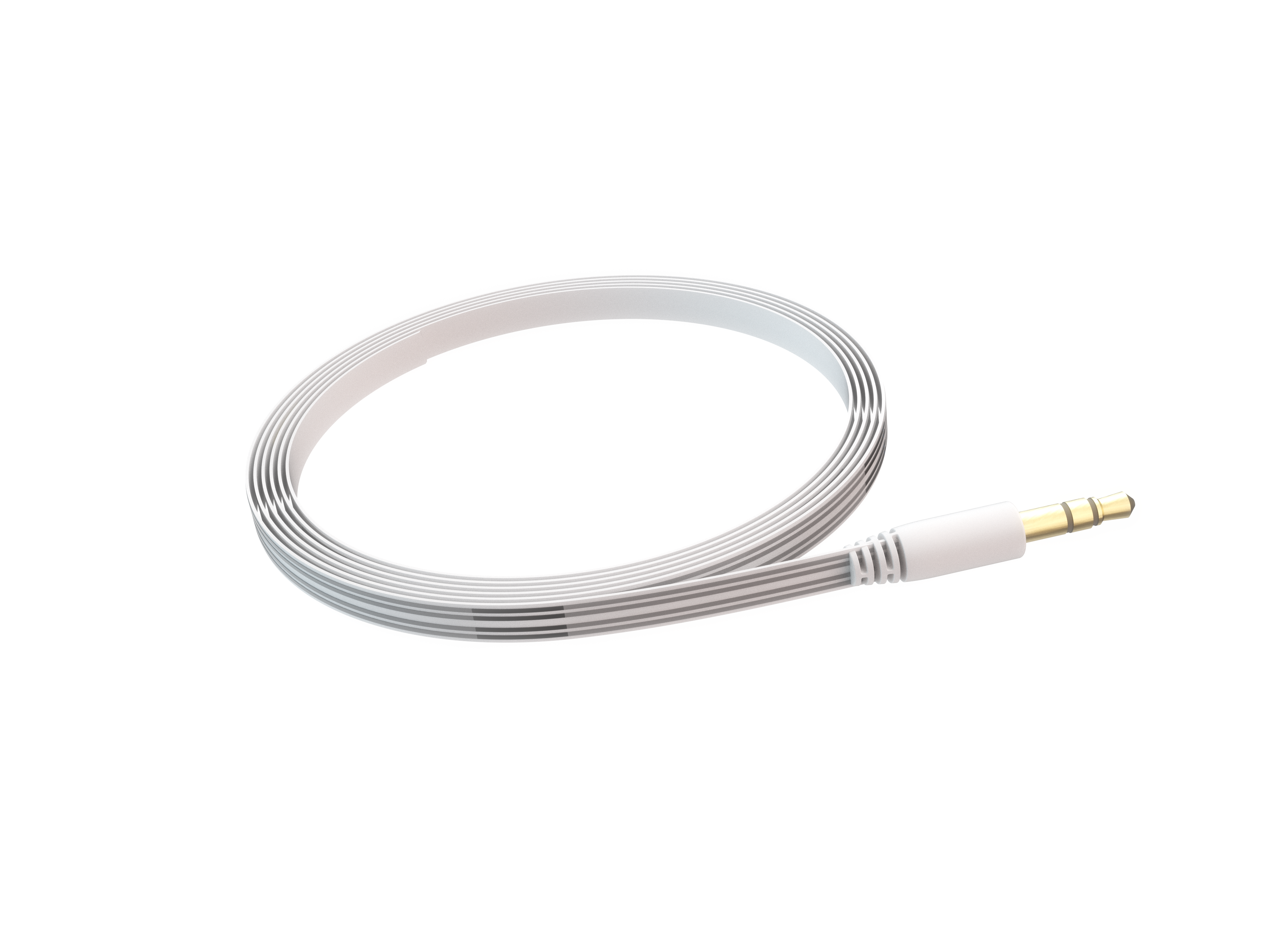
Sensor tape 3m m/3.5 mm Jack kontakt (NRF: 5648877)
3 meter sensor tape with 3.5 mm Jack connector for connection to the Waterguard+ Adapter (also compatible with Linkbox+ and bracket for WaterSensor+).
The sensor tape has metal conductors that detect water. The tape is self-adhesive (3M tape) and the length can be adjusted as needed. The tape can also be spliced via the Sensor Tape extension connector or the Sensor Tape splitter.
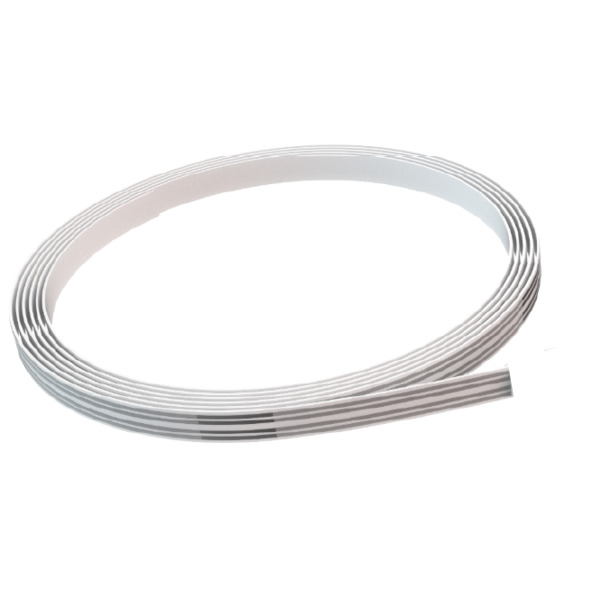
Sensor Tape 3m (NRF: 5648921)
3 meter sensor tape used in combination with Connector for Sensor Tape (NRF: 5648879) and Sensor Tape 3m w/3.5 mm Jack connector (NRF: 5648877) so that the total length of sensor tape is 6 m.
The sensor tape has metal conductors that detect water. The tape is self-adhesive (3M tape) and the length can be adjusted as needed.
Sensor Tape Connector (NRF: 5648879)
Joint piece for connecting sensor tapes if standard 3 m sensor tape does not provide sufficient coverage area for water. The ends of the sensor tabs are inserted into the respective connectors at the end of the joint piece. Used in combination with Sensor Tape w/3.5 mm Jack (NRF: for further expansion of the detection range up to 6 m total length. Used in homes, holiday homes and commercial buildings.
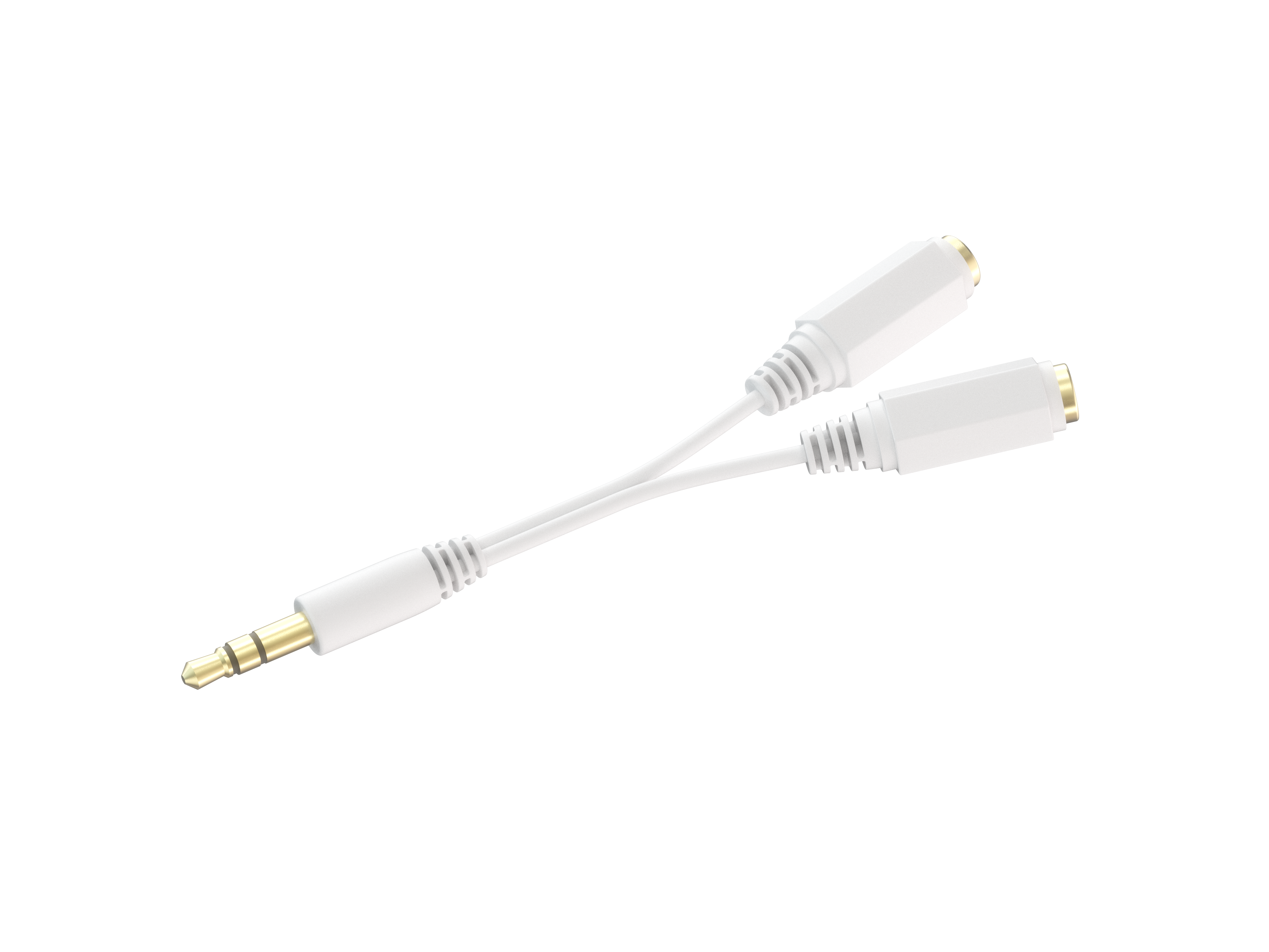
Splitter for sensortape m/3.5 mm Jack (NRF: 5648878)
Cable splitter for sensor tape with transition from male connector to 2 female connectors for connection to 2 pcs Sensor tape 3m (NRF: 5648921).
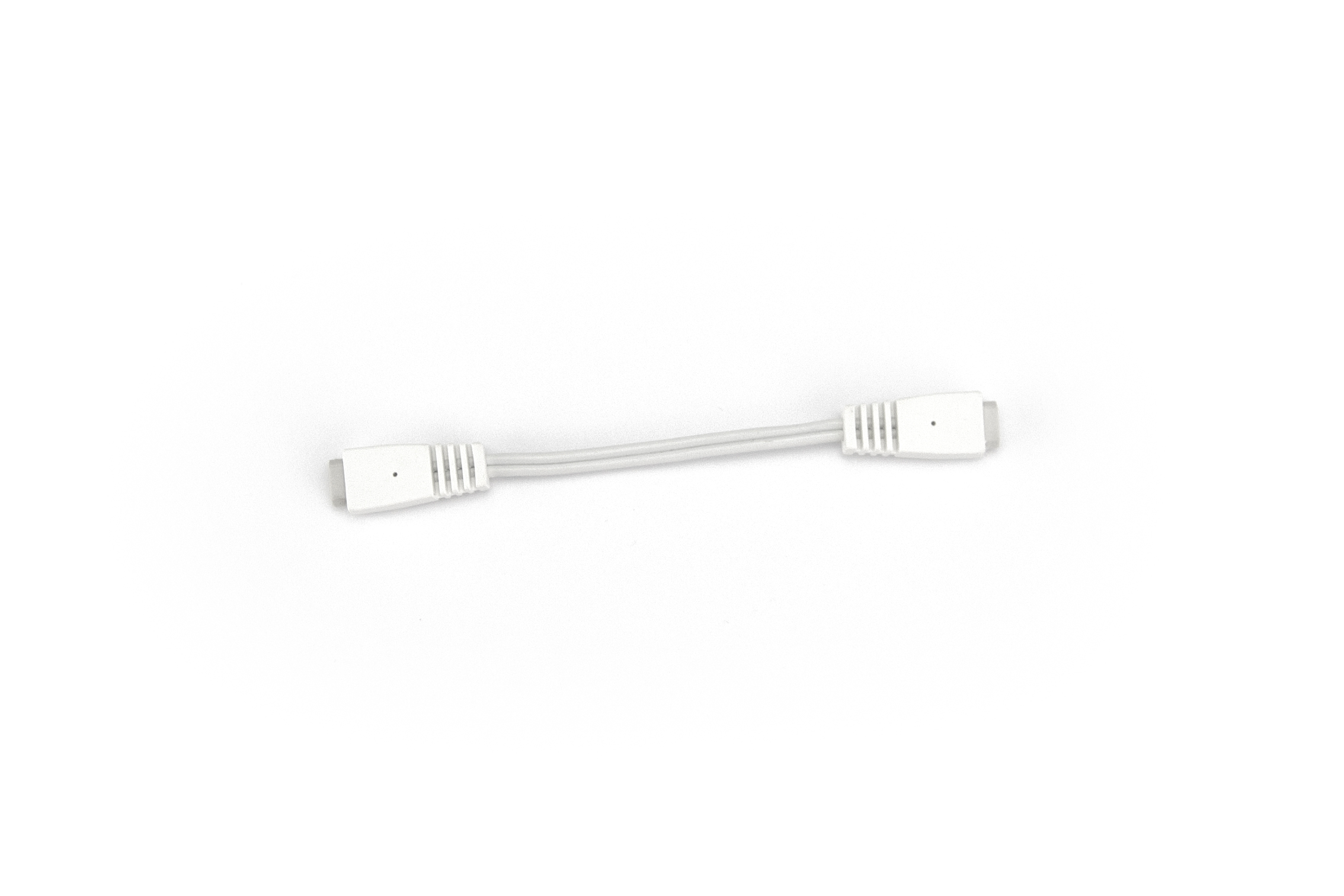
Extension cable 3m with male and female connector (NRF: 1454414)
3 m long extension cable with male and female connectors. Used in combination with Sensor Tape w/3.5 mm Jack or sensor plates. Connects to the Sensor connector on the Waterguard+ Adapter.
Sensor Plate - Large (NRF: 1387857)
Large sensor plate (235 x 55 x 5 mm) with 2 m cable, suitable for mounting in the plinth in the kitchen, in cisterns, or in combination with drip trays and base cabinet inserts from Waterguard.
The sensor can lie loose and flat due to its own weight, or be attached with pre-assembled double-sided tape or included screws (2 pcs). The cord can be extended with a 3 m extension cable with male and female connectors (NRF: 1454414).
The sensor plate has conductors at both the top and bottom, 26 mm apart, and requires more water than sensor tape to detect leakage. This reduces the risk of accidental alarms when cleaning or minor water spillage.
Sensor Plate - Small (NRF: 1387858)
Small sensor plate (45 x 20 x 5 mm) with 0.6 m cable for mounting on wall, studs or baseboard with double-sided tape or screw. The sensor plate has conductors at the bottom on each side of the plate, and detects water if the water encloses the lower part of the sensor. The sensor is particularly suitable for use in public bathrooms, toilets or other places where the sensor element should be securely attached. Cable can be extended with Extension cable 3m with male and female connector (NRF: 1454414) and can be hidden in the wall or with cable guides if additional shielding of the cable is needed.
Functionality
Valve control
Opens and closes up to two valves in parallel – for example, for cold and hot water. The valves can be controlled with a button on the Waterguard+ Adapter or via the Abralife app.
Self-Exercise of Valves
The adapter runs the valves one full round once a week to check that the system is working properly.
Water Detection
Detects water leaks through wired or wirelessly connected water sensors (up to 50 sensors). If one or more sensors are disconnected, the system will automatically close all connected valves after 24 hours as a safety measure.
Integrated socket
Integrated socket that acts as a clean grommet and remains active in the event of a detected leak. This makes the product well suited for new and existing installations with a limited number of available outlets. Maximum load: 1500 W for continuous use, 3680 W / 16 A for short-term loads.
Wireless Switch Panel (Requires Accessories)
Can be connected to the Abra Modepanel+ wireless switch panel for opening/closing valves and setting water alarms.
Smart home integration and app control (requires accessories)
The Waterguard+ Adapter is compatible with the Abra smart home system that provides advanced control and notification via the Abralife app and Abra Portal. It supports connection to other smart devices, such as door locks, smoke detectors, and water heater control relays.
Through the Abralife app, you can set up, monitor and control the system – no matter where you are. The app allows for remote control, notification and automation of functions in the home.
The following functions are available in the Abralife app for your Waterguard system when connected to Abra:
- Opening and closing the water supply from the app
- Cancelling alarms in the event of a water leak.
- Enable automatic shut-off of the water supply at low temperatures (requires WaterSensor+).
- Set up routines for automatically opening and closing water.
- Add and remove wireless water sensors, set location, and view connected equipment such as brackets and wired sensors.
- Monitor battery status and connectivity for all sensors.
- See temperature and humidity measurements.
- Register emergency contacts for leak notification.
- Receive push notifications in case of alarm or fault situations.
The Abralife app is available for Android in Google Play and for iOS in the App Store.
 |
|
Safety Instructions
Disclaimers and Warnings
Limitation of liability for the leak protection system Waterguard+ Adapter
Waterguard disclaims any liability for malfunctions of the Waterguard+ Adapter and associated components, including – but not limited to – failure to detect leaks, failure to alert or failure to activate valves. Such errors may occur due to technical conditions, unforeseen environmental influences, communication failures or user errors.
Furthermore, Waterguard disclaims liability for financial losses, damages or consequential costs caused by erroneous warnings or unintentional activation/deactivation of valves or alarms. This includes – but is not limited to – water damage, failure costs from emergency services, or losses caused by accidental shut-off of water.
Users are encouraged to test the system regularly, monitor sensor status via the app, and have manual measures and contingency plans in place to ensure redundant leak protection.
WiFi connectivity and system availability
The Waterguard+ Adapter uses wireless communication via WiFi, Zigbee and WiMEA. If the WiFi connection is temporarily lost, status updates, alarms and remote control via the Abralife app may be delayed. The system resumes function automatically when the network connection is re-established. It is recommended to test WiFi coverage where the adapter is located, and ensure that valve control and notification can occur locally if external network is unavailable.
Wireless range and sensor function
The Waterguard+ Adapter supports up to 50 wireless WaterSensor+ devices. The functionality of the sensors is dependent on sufficient wireless signal strength from the adapter. The range can be adversely affected by building materials (e.g. concrete, metal), distance, and electromagnetic noise. Therefore, always test the range at the installation site. In case of insufficient coverage, the sensor should be relocated, or alternatively used with an extension cable or wired alternatives.
User responsibility during installation and operation
The user is responsible for ensuring that the Waterguard+ Adapter is installed in accordance with applicable local regulations for low-voltage electrical products. The adapter must be plugged directly into an approved wall socket (CEE 7/4 Type F) and not used outdoors or in potentially explosive atmospheres. It is important to familiarize yourself with the product's functions before use, and follow recommended routines for maintenance and updates via the Abralife app.
Integration with valves
The Waterguard+ Adapter can control two motorized ball valves in parallel. It is the user's responsibility to ensure correct connection and installation of valve actuators and associated valves, as well as that the valves function mechanically. Incorrect installation can prevent the valve from closing in the event of a leak, resulting in potentially major damage. It is recommended to test valve control regularly.
Liability for lack of maintenance or improper use
Improper use of the product, lack of maintenance, or modifications to the device without approval from the manufacturer may result in reduced functionality and void warranty. Examples include: use of non-genuine accessories, use outside specified temperature ranges, or physical damage to cables and connectors.
Electromagnetic compatibility (EMC)
The Waterguard+ Adapter is designed for use in households and small commercial buildings. The device and accessories should not be installed in environments with high electromagnetic interference (EMI) unless shielding measures are in place. Ensure that connected components do not interfere with or be affected by other installations that use high-frequency signals.
Software updates and system integrity
The device runs AbraOS, a real-time operating system (RTOS) designed for safety-critical functions. The Waterguard+ Adapter receives security and functionality updates "over-the-air" when the device is connected to WiFi. It is the user's responsibility to ensure that the device has a stable internet connection in order to receive updates. Fell Technology does not accept responsibility for the consequences of lack of updates if network connection is not available.
Installation
Guidelines for optimal placement
Positioning near valves
Install the Waterguard+ Adapter near the valves. The included valve cable is 0.6 meters long, but a standard network cable of up to 100 meters can be used.
The adapter should be installed in a frost-free environment, without the risk of condensation or moisture.
Location with good WiFi coverage
To enable control via the Abralife app as part of the Abra system, the Waterguard+ Adapter should be placed in a place with stable and good WiFi coverage.
Avoid signal obstructions
Avoid placement near thick walls, concrete structures, or metal structures (such as inside a distribution cabinet), as this can reduce or block wireless signals.
Installing the Product
- Connect any wired water sensors to the Sensor connector
- Connect the valves to Valve 1 and Valve 2, respectively. If only one valve is used, Valve 1 should be used.
- Plug the adapter into the wall outlet and make sure the LED indicator light is on. See Alerts, Indications, and Signals for information on what the different colors and beeps mean.
- Connect any wireless water sensors, see Pairing the WaterSensor+ with the Waterguard+ Adapter.
- Connect the Waterguard+ Adapter to your Abra system via the Abralife app (optional), see Configuring the product for control with the app.
Configure the product for control with app
The Waterguard+ Adapter can be configured to control and monitor your Waterguard installation via the Abralife app for mobile phones and tablets. Scan the QR code on the front of the product. Alternatively, you can search for and add a new hub directly in the app. For remote control, the device must be connected to a 2.4GHz WiFi network.
Pairing the WaterSensor+ with the Waterguard+ Adapter (OPTIONAL)
-
Activate pairing mode Waterguard+ Adapter
Press the RESET button once and make sure the light indicator pulses BLUE.
NOTE! Pairing mode can also be activated via the Abralife app. Follow the prompts to add new devices. Select Waterguard, then WaterSensor+ and follow the steps in the app.
- Activate pairing mode on WaterSensor+
Press and hold the button on the WaterSensor+ for >1 second. The indicator light on the WaterSensor+ will start flashing rapidly BLUE, signaling that it is attempting to pair with the adapter.
- Confirmation of successful pairing
Both the WaterSensor+ and Waterguard+ Adapter flash GREEN 3x to confirm that the pairing is successful.
- Repeat for more water sensors
Follow steps 1 through 3 to connect several new water sensors.
Functional testing
Testing Water Detection - Wireless Sensors
Use a damp cloth to apply water to the sensor points of each connected sensor, either wireless or wired, one by one. After each test, the water alarm must be set and the water supply reopened (if valves are connected) before the next sensor is tested.
For each test, check that:
- The Waterguard+ Adapter emits an audible alarm signal and the LED light indicator flashes RED.
- The wireless sensor emits a low, audible alarm signal and flashes RED.
- The water shuts off (if valves are connected).
- You will receive notifications in the Abralife app (if the system is set up with Abra) and by SMS.
To stop the water alarm, wipe the sensor point dry and press the RESET button on the adapter. Repeat the test for each wireless sensor. Open the water supply after the test has been performed.
Use of the product
Opening and closing the water supply
Press and hold the RESET button for 3 seconds. Release when you hear a short beep – this opens or closes the water supply.
Setting the water alarm
If the water alarm is triggered, press the RESET button once to cancel. If water is still detected, the system will be silent for 60 minutes before the alarm is reactivated. If the water is removed in the meantime, the system will return to normal and will notify in the event of a new leak.
Delete connected wireless sensors
Make sure you are within range of the Waterguard+ Adapter. Press and hold the button on the WaterSensor+ wireless sensor for over 5 seconds to delete it from the system.
Disabling removed sensors
If a wireless or wired sensor is physically removed or runs out of battery (applies to wireless sensors), it must be deactivated to prevent the system from automatically shutting off the water supply after 24 hours. Press and hold the RESET button for 10 seconds and release when you hear two beeps. If wired sensors are reinstalled or wireless sensors get a new battery, the sensor will automatically activate.
Temporarily disable the system
To temporarily turn off water detection and open the water supply, even if water is detected, press and hold the RESET button for 15 seconds. The adapter will beep three times, and the LED status light will illuminate amber to indicate that the system is disabled. Press the RESET button once to activate the water detection again.
Alerts, indications and signals
The list below sets out the alerts, indications, and signals of the Waterguard+ Adapter and their meaning.
| LIGHT | SOUND | |
| The system is active, but not connected to your home in Abra for remote control in the app. | WHITE (continuous) | - |
| The system is active and connected to your home in Abra for remote control in the app. | GREEN (continuous) | - |
| Adapter in pairing mode for connection to new water sensor(s) | BLUE (pulsing) | - |
| Pairing with WaterSensor+ successfully | GREEN (3x flash) | 3x pip |
| Pairing with WaterSensor+ not successful | YELLOW (2x flashes) | 2x pip |
| Vannalarm | RED (flashing) | Continuous beeping |
| Valve failure | YELLOW (continuous) | - |
| Sensor Failure (Sensor Disconnected/Removed) | YELLOW (continuous) | - |
| Water detection and shut-off temporarily disabled | YELLOW (continuous) | 3x beep on deactivation, then one beep every 5 minutes |
Specifications
| Article number | 72.380.337373 |
| EAN | 7072380373732 |
| NRF number (NO) | 1432595 |
| NOBB number(NO) | 60752085 |
| RSK number (SE) | 5215033 |
| El.number (NO) | 4550414 |
| Product Name | Waterguard+ Adapter |
| Model number | W3710 |
| Type | Hub for automatic leak detection w/ valve control for 2 valves, as well as connection of wired water sensor. |
| Input voltage | 100–240V AC, 16A |
| Output voltage socket | 100–240V AC, 16A (via socket) |
| Output Voltage Valve | 24 V DC |
| Power consumption, max. | 1,0 A |
| Effect | 24 W |
| Plug (input) | Schuko – CEE 7/4 (Type F) |
| Socket (output) | Schuko – CEE 7/4 (Type F), direct feed-through (active even in the event of a leak) |
| Insulation class | Class II |
| IP grade | IP20 |
| Temperature range | 0 °C to +40 °C |
| Continuous load (socket) | Max. 1500 W |
| Short-term load (socket) | Up to 3680 W / 16 A |
| Dimensions (HxWxD) | 106 x 50 x 79 mm |
| Cord Length | 100 mm |
| Colour | White |
| Weight | 185 g |
| Indikatorlys | 1 x LED |
| Communication |
2.4 GHz WiFi Zigbee WiMEA Bluetooth |
| Operating system | Open OS |
| Contacts |
Connection valve 1: RJ45 (female) Connection valve 2: RJ45 (female) Wired Water Sensor Connection: Mono 3.5mm Jack (Female) |
| Accessory | Waterguard+ Valve Actuator (NRF: 5648876) Ball Valve DN15R (1/2") (NRF: 5648911) Ball Valve DN20R (3/4") (NRF: 5648912) WaterSensor+ Wireless Water Sensor (NRF: 5648875) Sensor Tape 3m w/3.5mm Jack Connector (NRF: 5648877) Sensor Tape 3m (NRF: 5648921) Connector for Sensor Tape (NRF: 5648879) Splitter for Sensor Tape w/3.5mm Jack (NRF: 5648878)Extension Cable 3m with Male and Female Connector (NRF: 1454414) Sensor Plate - Large (NRF: 1387857) Sensor Plate - Small (NRF: 1387858) |
| Approvals |
CE / RED RoHS REACH |
Details - wireless communication
| Radio | Frequency (MHz) | Max. output power (dBm) |
|---|---|---|
| WAS | 2400–2483.5 | 7 |
| 2.4G WiFi | 2400–2483.5 | 14 |
| ZigBee | 2400–2483.5 | 6 |
| WiMEA 868 MHz | 863–870 | 7 |
Radio Wave Exposure
The maximum permissible exposure level (MPE) is calculated based on a distance of d = 20 cm between the device and the human body. To maintain compliance with RF exposure requirements, the product shall be operated with a minimum separation distance of 20 cm between the device and the human body.
For your safety
The Waterguard+ Adapter has been developed with safety in mind. However, the system should only be used in good technical condition and in accordance with the installation and operating instructions in this manual. Waterguard disclaims any liability for damage or malfunction resulting from failure to follow these instructions.
Always use original components, accessories and spare parts for the correct and safe operation of the system. Improper use or use of non-genuine components may result in reduced functionality and void of warranty.
Check cables regularly for damage that could result in malfunction or safety hazards. Cables with visible damage must be replaced immediately.
Maintenance, cleaning and transport
Maintenance
The product does not require continuous maintenance, with the exception of cleaning. See the section below.
Cleaning
To clean the product, wipe it with a soft cloth moistened with mild detergent. Avoid using abrasive cleaners or chemical solvents containing oil or alcohol, as this can discolor the plastic. Use another soft, dry cloth to wipe it dry.
Transport
The product must always be transported in its original packaging. If the packaging should fall to the ground or be affected in any other way, a visual inspection should be carried out to confirm possible damage to the product.
Storage
To preserve the packaging and contents, we recommend storage in a temperate, dry and well-ventilated area. Relative humidity should not exceed 80%, and no corrosive gases should be present. The storage or transport environment must never exceed the temperature or humidity levels specified in the technical specifications of the product.
Disposal
This electronic equipment should not be disposed of with household waste. There may be free pickup and acceptance points available for old devices nearby. Follow local regulations for correct and environmentally friendly disposal. If the old electronic equipment contains personal data, you are responsible for deleting these before returning the equipment.
The crossed-out wheeled bin symbol on the equipment indicates that the item should be handled separately from household waste and delivered for recycling according to local environmental waste disposal regulations. By separating labeled items from household waste, you help reduce the volume of waste sent to incinerators or landfills, and you minimize the potential negative impact on the environment and human health. For further information, please contact Waterguard.
Troubleshooting
The valve does not open or close
Start by checking that all electrical connections are secure and correctly fitted. Check that there are no loose or disconnected wires. Then press and hold the RESET button for at least 3 seconds – it is important to wait until you hear a clear beep before releasing the button.
If the valve is still unresponsive, confirm that the LED indicator light is on to ensure that the unit has power. Also check that the valve actuator is correctly mounted and securely secured with the locking pin. An improperly assembled or loose actuator may impede the movement of the valve.
Certifications and type approvals
CE (EU)
The product has been tested and approved in accordance with applicable European standards and regulations. It meets the requirements of the CE and RED Safety, Health and Radio Communications Directives, and complies with the RoHS Directive restricting the use of certain hazardous substances in electrical and electronic equipment. In addition, the product complies with the REACH Regulation, which regulates the use and handling of chemicals to protect health and the environment.
Hereby, Fell Technology AS declares that the radio equipment type W3710 (Waterguard+ Adapter) and associated equipment is in compliance with Directive 2014/53/EU.
The full text of the EU declaration of conformity is available at the following internet address:
Declaration of Conformity (Samsvarserklæring) for Waterguard+ Adapter (EN)
RF Exposure Information
The Maximum Permissible Exposure (MPE) level has been calculated based on a distance of d = 20 cm between the device and the human body, To maintain compliance with RF exposure requirement, use product that maintain a 20cm distance between the device and human body.
Type approvals
Waterguard+ Adapter is tested and approved by Sintef under TG20834 for use as the central unit in Waterguard leak stop systems.
Warranty and service
The product and related accessories are free from defects in materials and have been designed in accordance with the consumer protection laws and regulations of the country in which the product was purchased. All properly installed products are covered by our 5-year limited warranty*.
If your Waterguard+ Adapter needs repair within the warranty period, please contact Waterguard Customer Support.
*Some countries and/or registered products may have extended warranties.
Legal information
Select
Waterguard®is a registered trademark of Waterguard Intl. AS.
Abra® and Abralife® are registered trademarks of Fell Technology AS.
Apple and the Apple logo are trademarks of Apple Inc., registered in the U.S. and other countries.
Google Play and the Google Play logo are trademarks of Google LLC.
License Rights and Restrictions
NO RIGHTS OR LICENSES, EXPRESS OR IMPLIED, ARE GRANTED TO USE THIRD-PARTY DEVICES IN COMBINATION WITH THESE PRODUCTS ON A WIRED OR WIRELESS NETWORK, OR TO USE THIRD-PARTY SERVICES TO ACCESS, MONITOR, OR CONTROL THESE PRODUCTS ON A WIRED OR WIRELESS NETWORK OVER THE INTERNET OR OTHER NETWORK.
Producer
Fell Technology AS
Bragernes Torg 2
3017 Drammen
Norway
Copyright
Copyright ©2025 Fell Technology AS. All rights reserved.
Fell Technology AS and Waterguard Int. AS are companies in Fell Group AS.
Comments
0 comments
Please sign in to leave a comment.